Define the load
Register package names, dimensions and weight together with container constraints.
Initializing portfolio
Roy.
Product · systems · impact
Case study · Jan–Jul 2025
I helped turn package dimensions, weight constraints and warehouse routes into a working multi-agent simulation with two interactive 3D renderers.
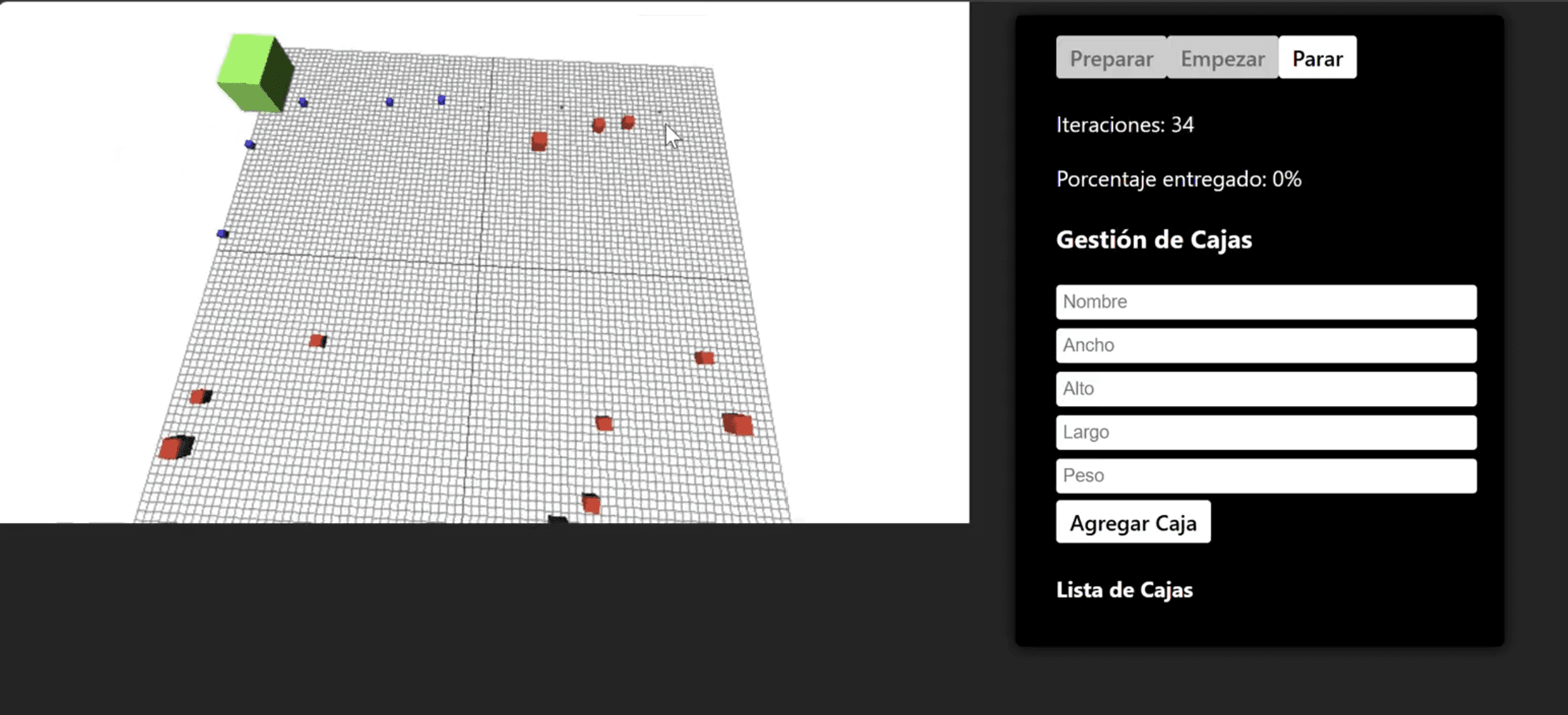
Overview
Karggu Robots is a logistics prototype for exploring how autonomous robots can collect packages, navigate a shared warehouse grid and deliver cargo according to a three-dimensional packing plan.
The project connects constraint-aware packing, agent-based behavior, route planning, API state exchange and interactive visualization. Operators can define packages, run the simulation and inspect how robots move cargo toward its calculated position.
Core challenge
The simulator had to solve three dependent problems: determine where each package could fit, preserve the resulting delivery order and route multiple robots through the same space without invalid movement.
Rendering added a separate challenge. Both the browser client and the textured PyGame/PyOpenGL client worked across Windows, macOS and Linux, but the desktop renderer showed slower behavior on Windows. Keeping simulation state independent from either renderer made both approaches usable for comparison.
Role
I worked as a full-stack developer in a three-person team. My scope covered the package-placement and robot-routing logic, custom package workflows, 3D modeling and both visualization clients.
The delivered simulator was a shared team outcome. This page focuses on the packing, routing, package-management and visualization work I completed personally.
Architecture
React/Three.js and PyGame/PyOpenGL interfaces prepare, control and visualize a run.
A Genie service creates simulations and returns incremental JSON state snapshots.
Julia and Agents.jl coordinate robots, packages, routes and delivery dependencies.
Python packing logic calculates fitted packages, rotations and final cargo coordinates.
Workflow
Every step depends on the output of the previous one, so packing feasibility and delivery order are established before robot movement begins.
Register package names, dimensions and weight together with container constraints.
Determine which packages fit and assign coordinates and an ordered loading plan.
Assign available packages and calculate A* routes around occupied cells.
Advance the simulation and update robots, packages and storage in either 3D client.
Contribution
Decisions
Both renderers consume simulation state instead of owning robot behavior, making the core logic easier to reason about and compare across clients.
The order returned by the 3D packing stage becomes an explicit dependency so robots do not finalize packages out of sequence.
Robots calculate goal-directed paths while treating other robot positions as occupied cells and trying valid alternatives when blocked.
A browser renderer provided a lightweight interactive view while the desktop renderer explored richer custom geometry and textures across the same domain.
Deep dive
Packing
Dimensions, rotation, intersection checks and maximum weight determine feasible cargo coordinates.
Coordination
Assignment and package dependencies preserve the planned sequence while multiple robots operate concurrently.
Routing
A* paths use Manhattan distance and current robot positions to avoid invalid grid movement.
01
React and Three.js provide an orbitable scene with live position updates and operator controls.
02
PyGame and PyOpenGL add textured geometry, a custom camera and continuous API polling.
03
Both clients represent the same robots, packages and destination coordinates from the Julia service.
Outcome
Lessons
Evidence
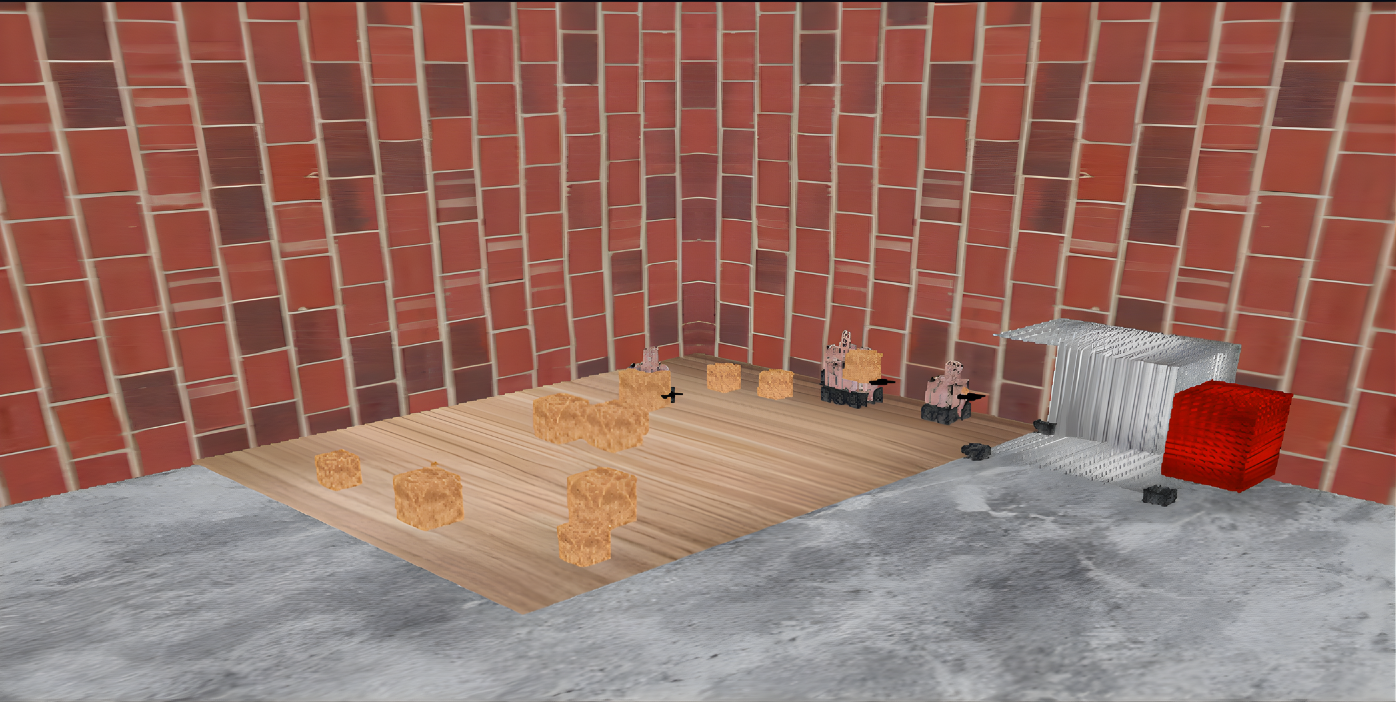
Desktop simulation renderer
The textured PyGame and PyOpenGL client visualizes packages, robot movement and the cargo destination while polling simulation state.
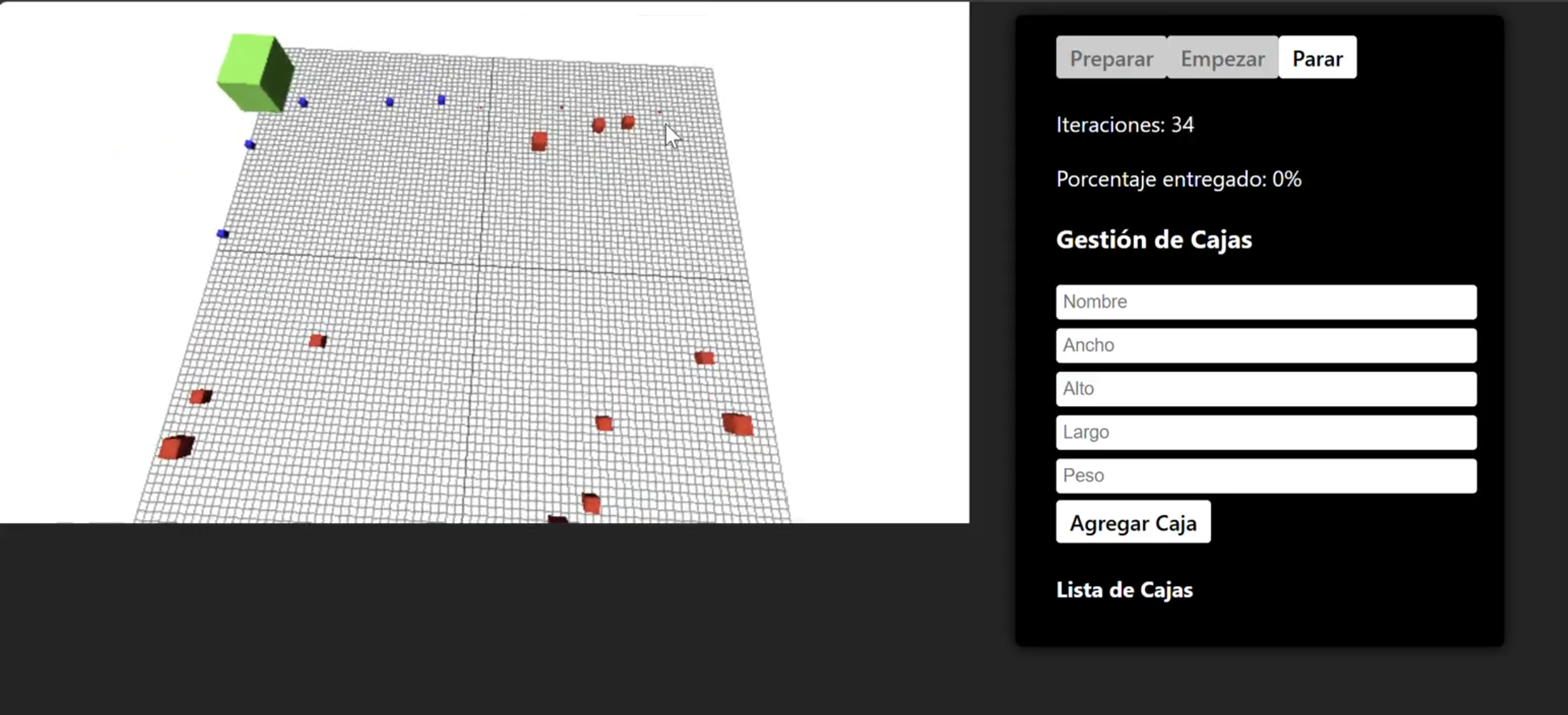
Windows Desktop simulation renderer
Full resolutionThe Julia client visualizes packages, robot movement and the cargo destination while polling simulation state.
Attribution
Karggu Robots was completed by a three-person team for Karggu. The screenshot and technical description are shown with permission. Client source code, operational data, original assets and configuration remain private.